

See where your money went.
Your accounts and cards in one place — and the answer that matters: how much you can still spend this month.
no ads · we don’t sell your data · cancel anytime the app is in Portuguese and connects to Brazilian banks


no ads, ever
No banners, no sponsored posts disguised as saving tips.

bank-grade security
Connected through Open Finance, read-only. mudda can see, never move.

your data is yours
Export your expenses as CSV whenever you like, and delete your account and everything it holds right in the app.
01 · monthly flow
How much came in, how much went out, how much is left.
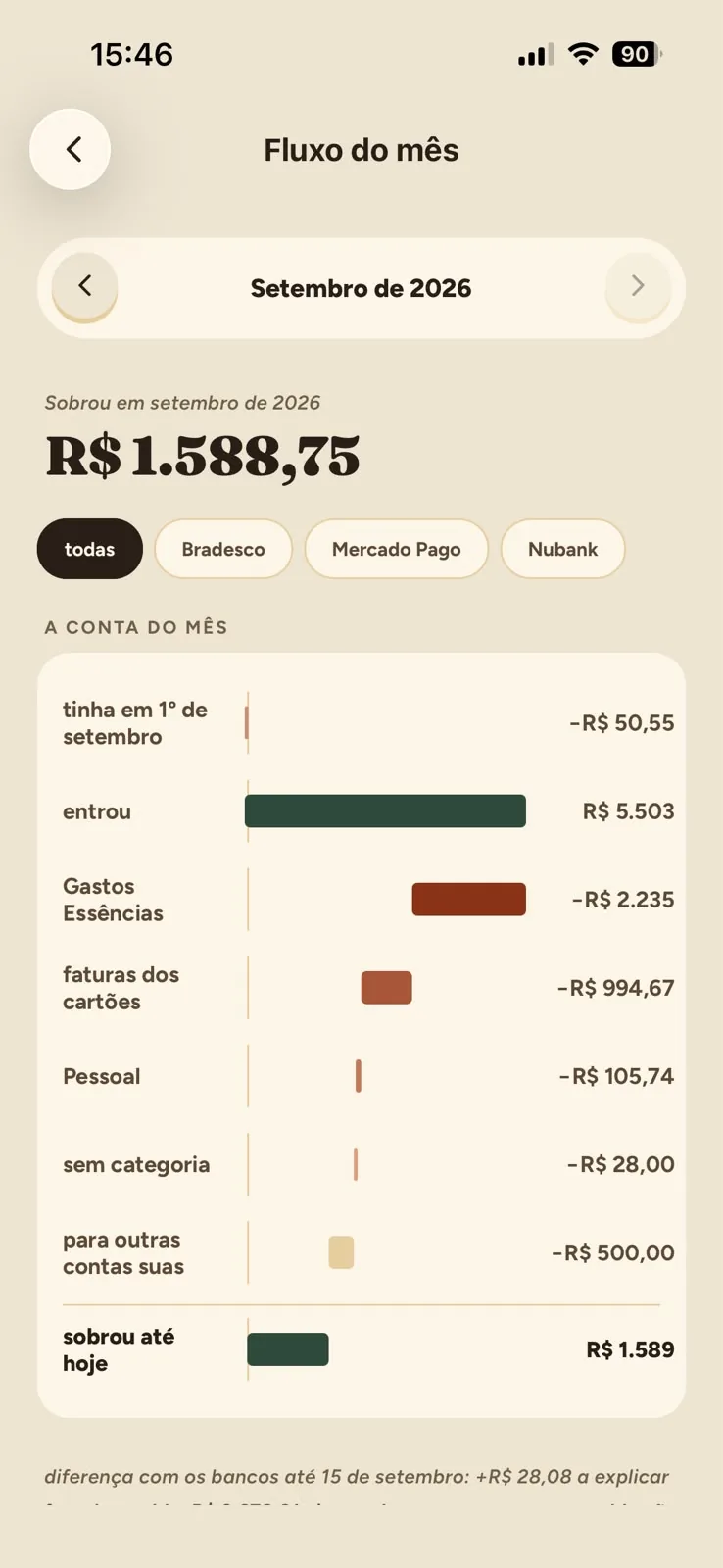
The whole month on one screen: what you had on the 1st, what came in, where it went and what’s still left. Filter by bank and check the difference against your statement up to today.
“left over R$ 1,588.75” — the sentence every month should have.

02 · sorting
One expense at a time, and the month sorts itself out.
mudda brings in what arrived from your banks and asks whose each expense is. When one repeats, it proposes a rule — you confirm once and it applies to the next ones.
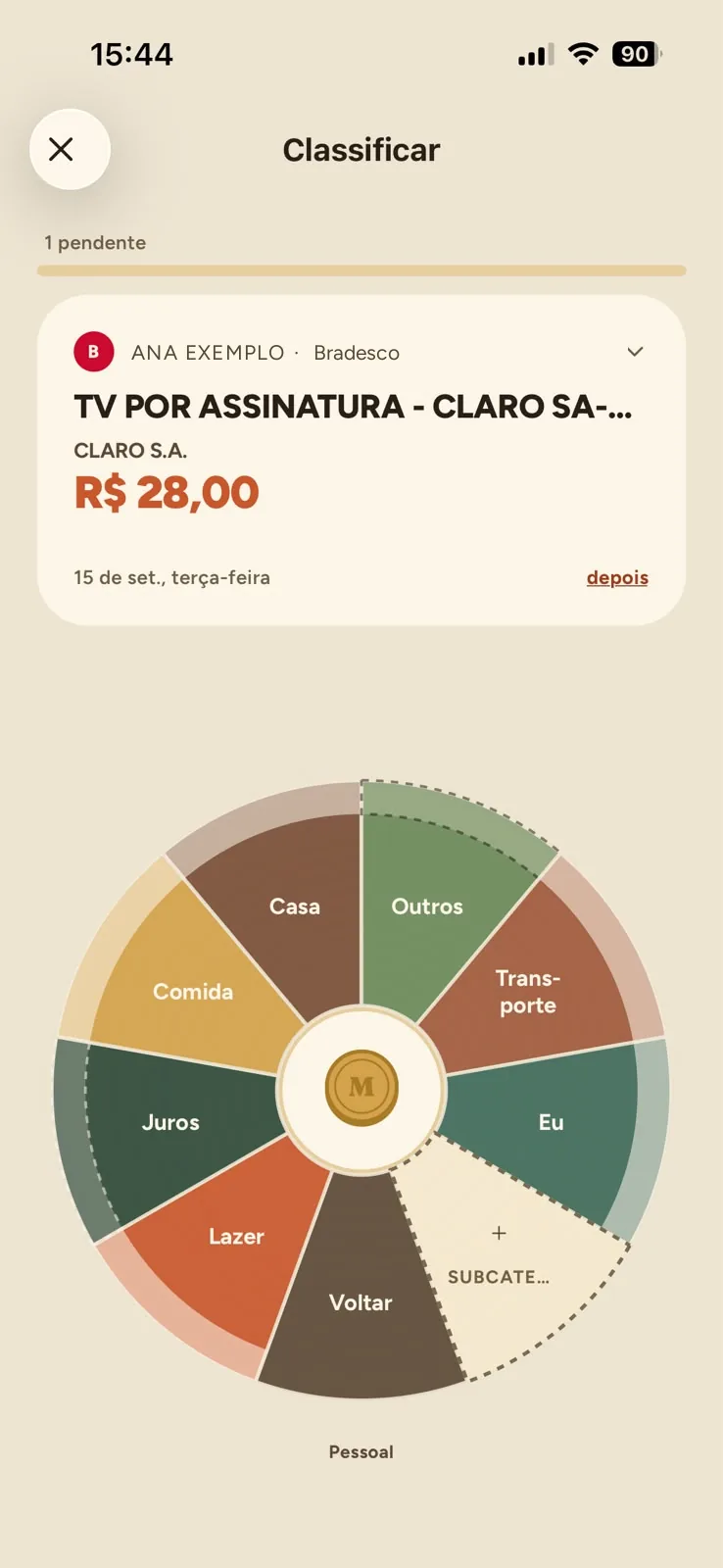
the wheelOne tap picks the category, another opens the subcategories. Whatever can’t be decided now waits for later.
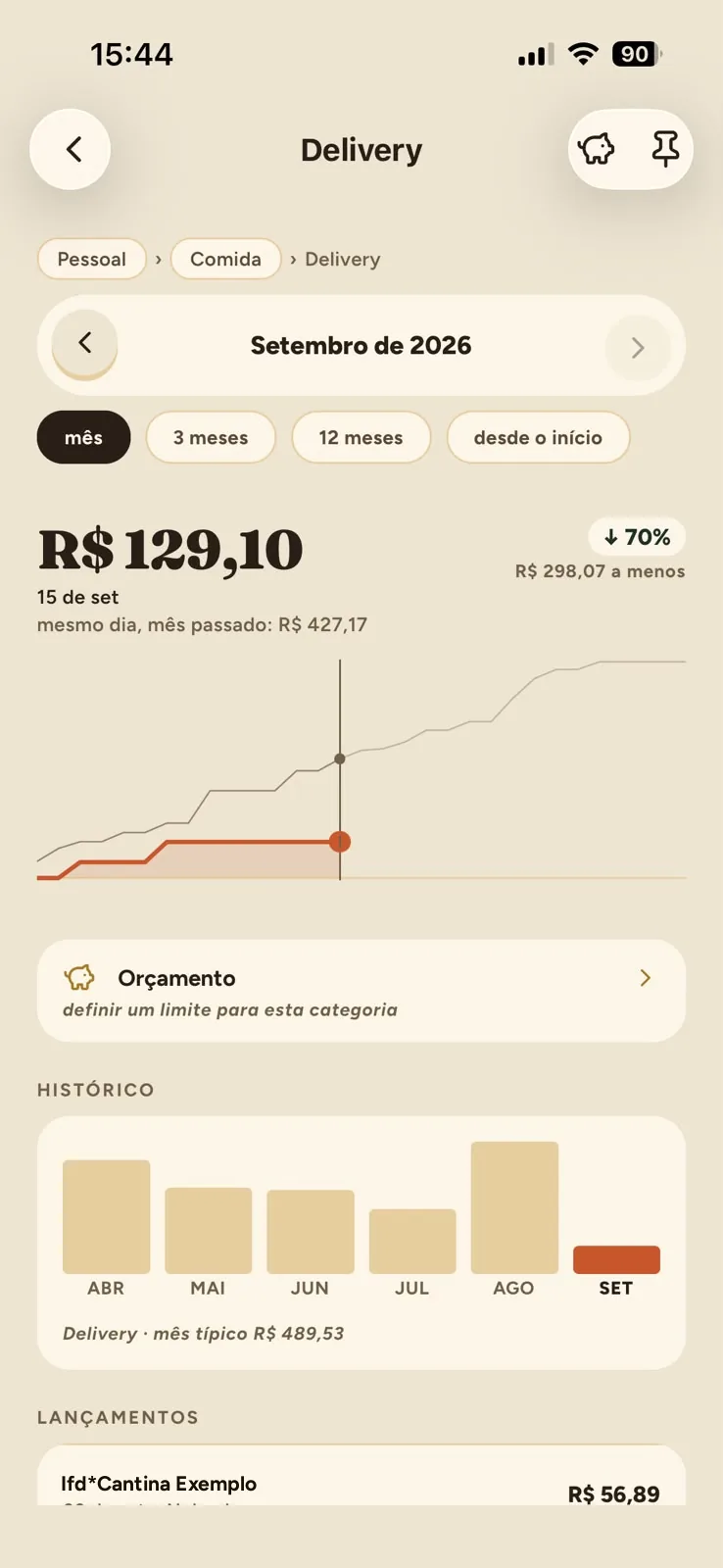
each categoryHow much it was this month, how much it usually is, and every entry filed there.
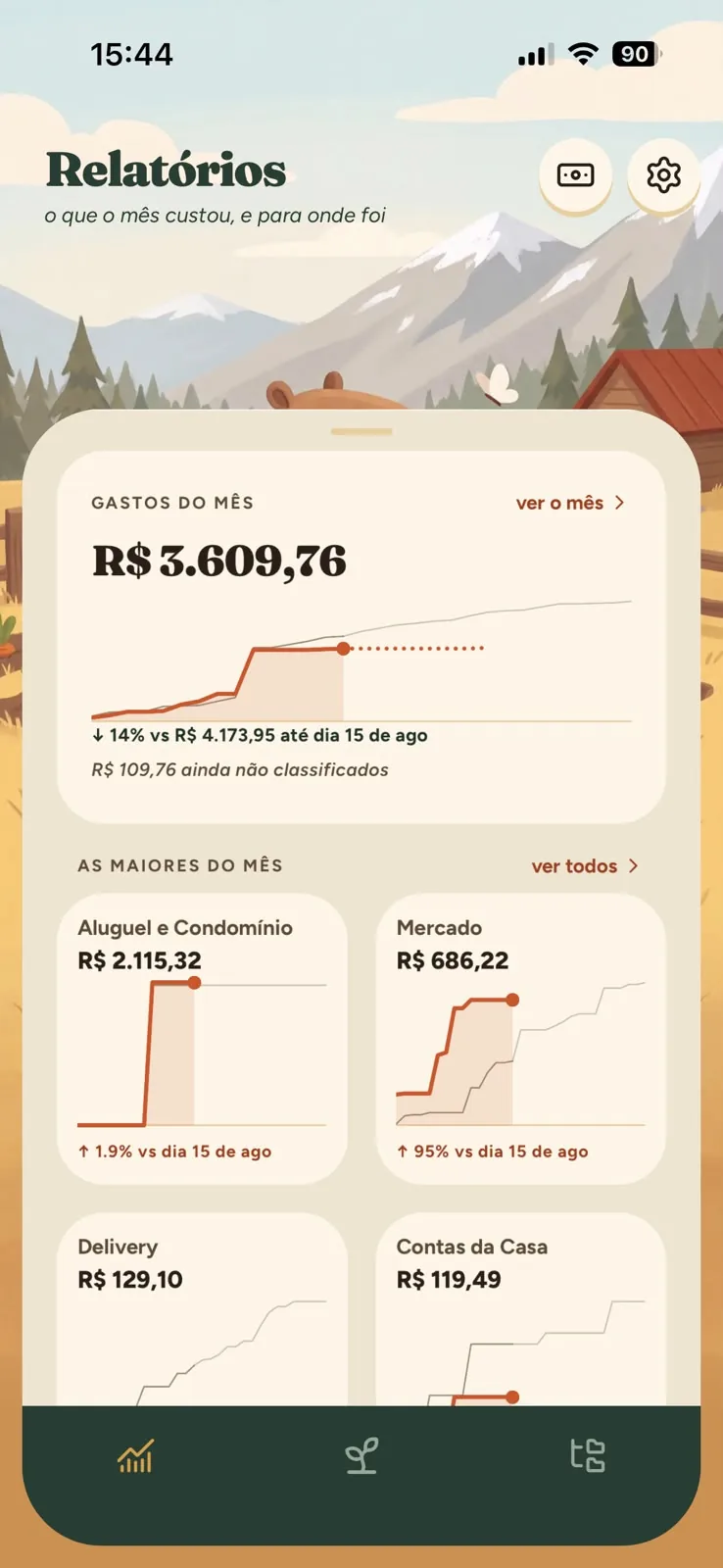
the whole monthThe biggest first, with whatever isn’t sorted yet always in view.
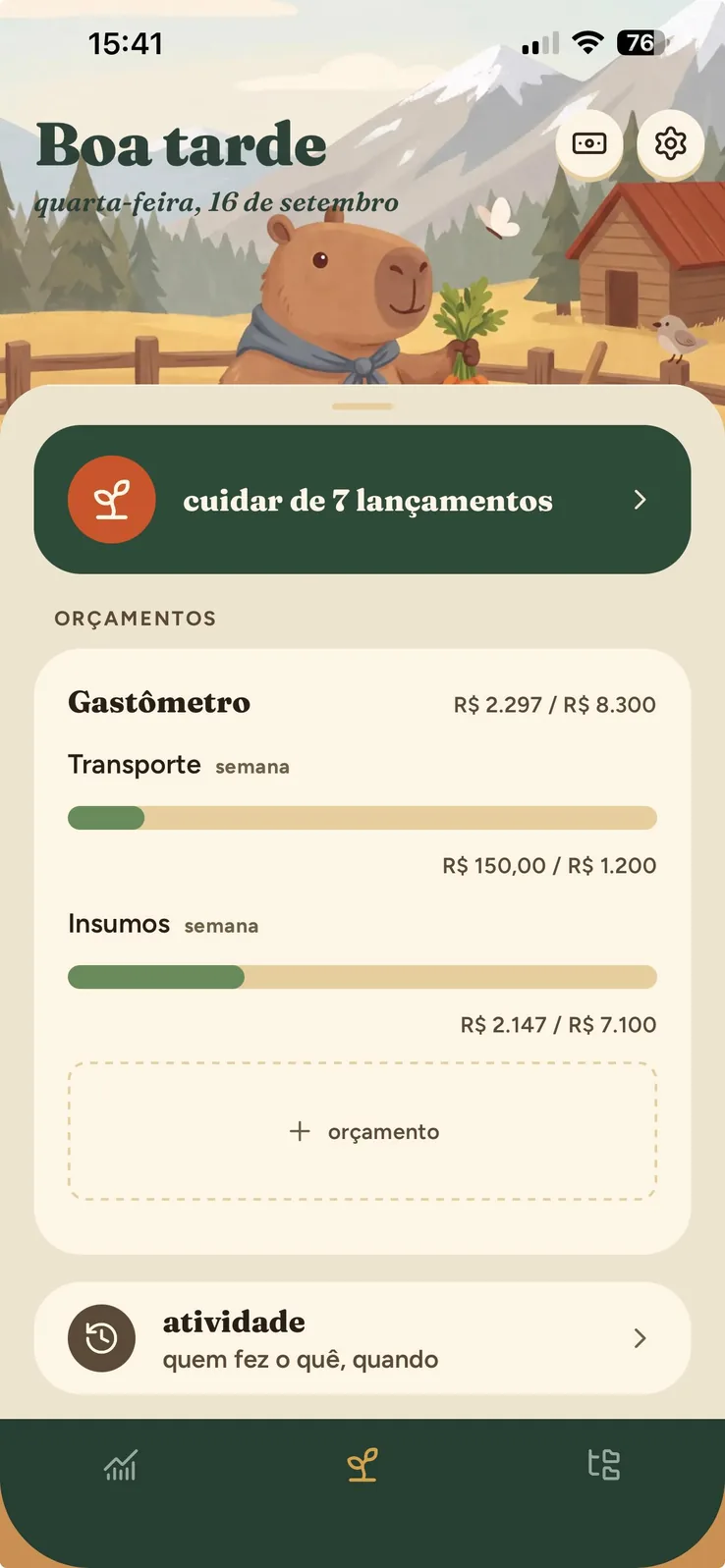
a limit per categoryThe spending meter follows the week’s pace and warns you before things get tight, never after.
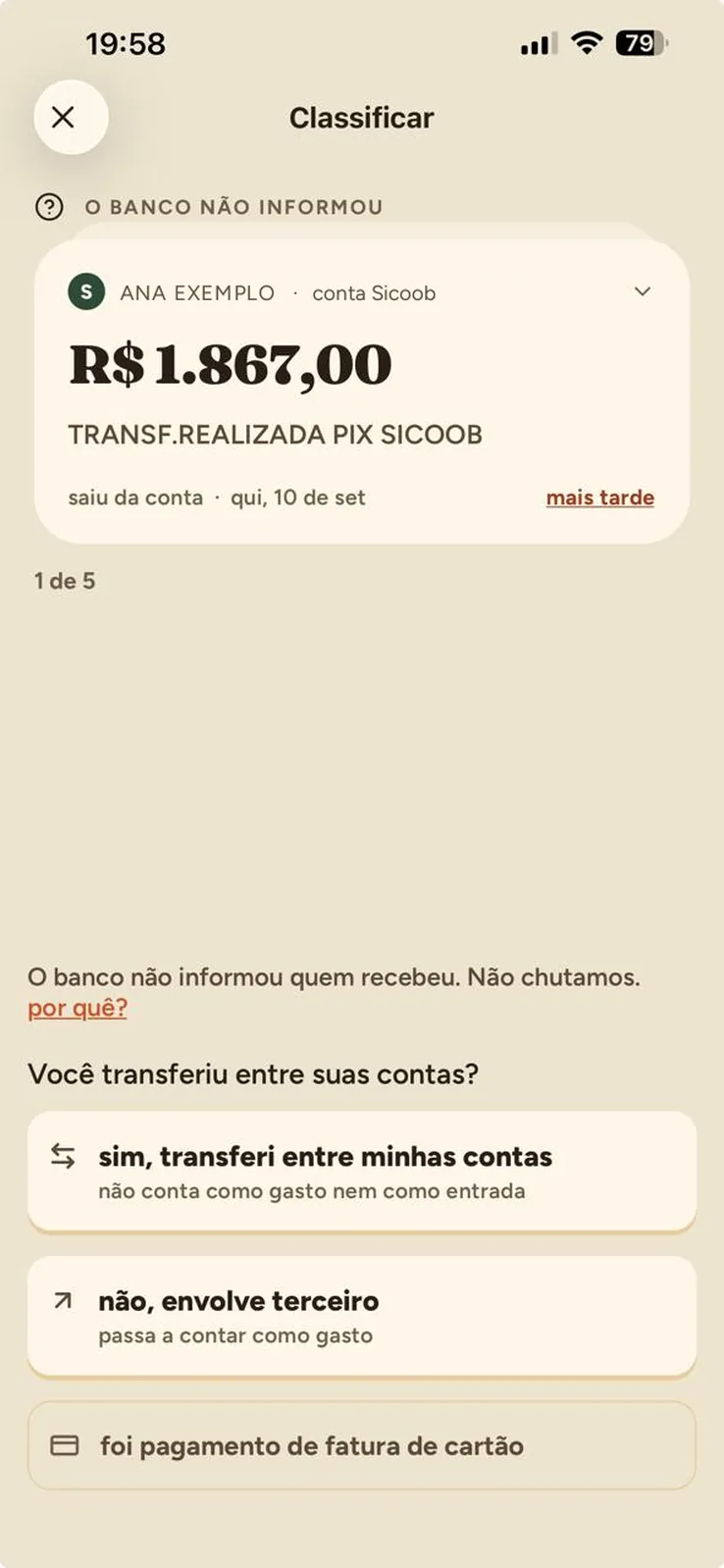
when the bank doesn’t sayA transfer with no recipient never becomes a guess. mudda asks, and your answer is what decides.
03 · reports
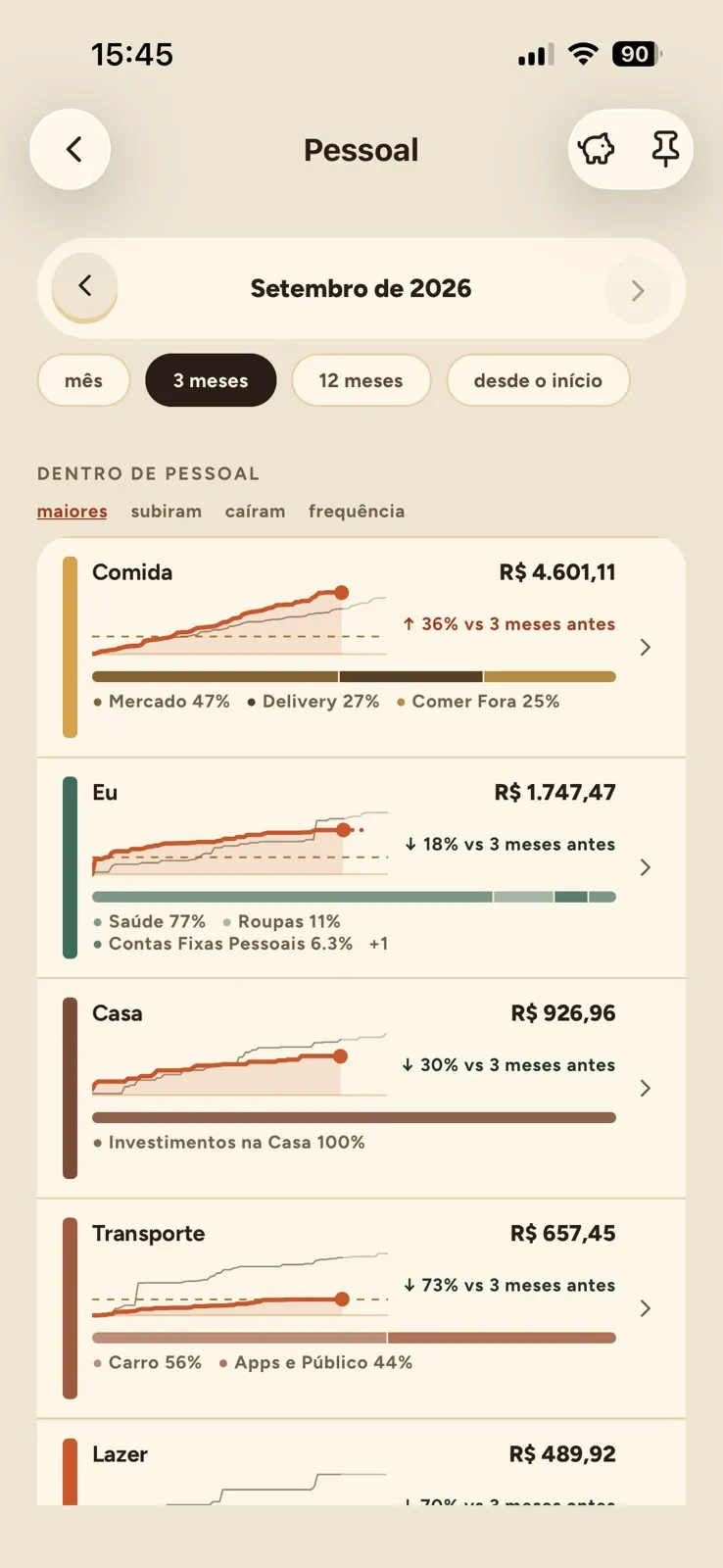
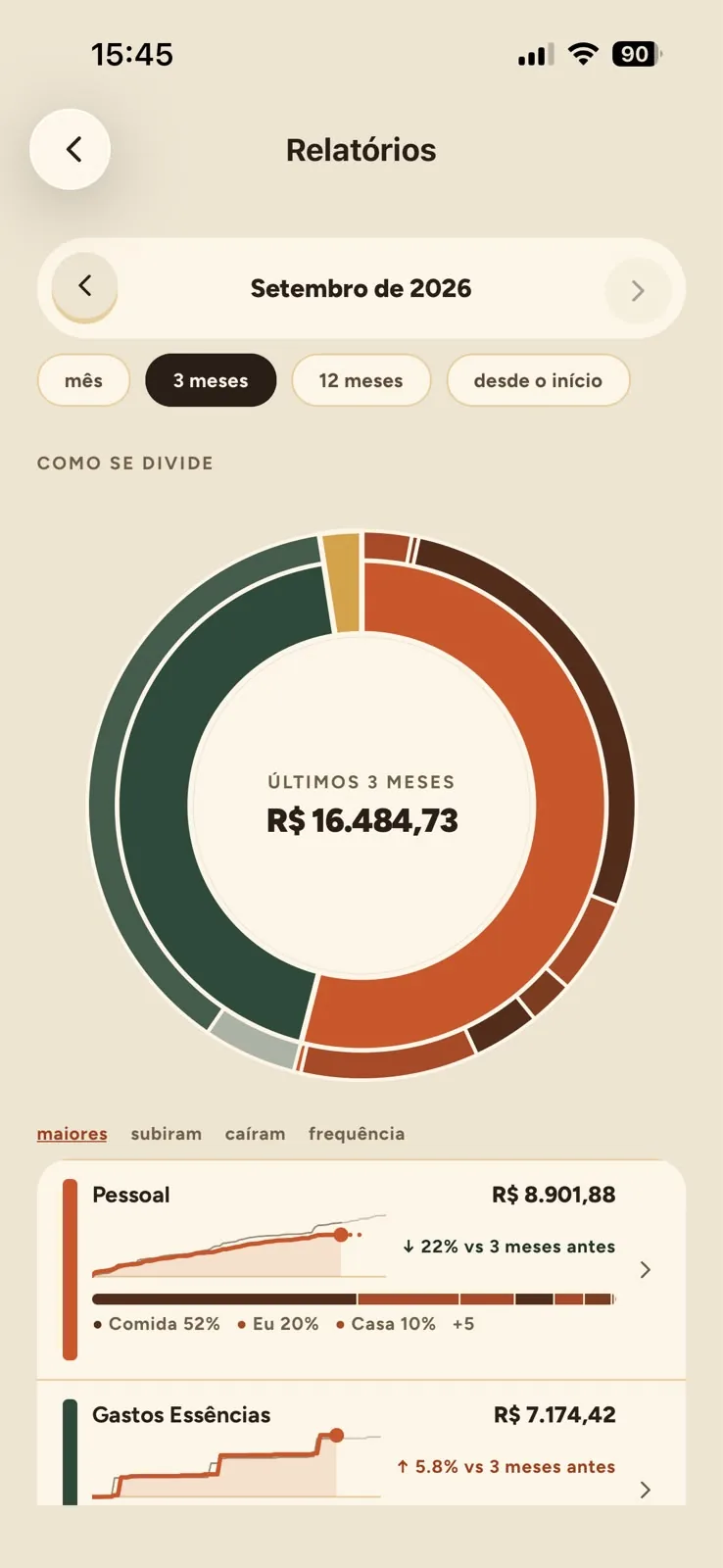
What the month cost — and where it went.
One month, three months, twelve months or since the start. mudda shows the biggest categories, what went up, what came down and how often each expense happens.
- biggest
- went up
- went down
- frequency
04 · goals
Plant a little each month. Capy takes care of the rest.
Set a limit for a category or a goal to save toward. mudda follows the month’s pace and warns you gently before things get tight — never after.


A calmer financial life starts today.
Connect your banks in two minutes and see the whole month on the very first screen.